Demo
Step into a ready centre
No sign-up, no password: an education centre full of data — bills, debtors, the till, pay and reports. Click anything you like: every night it all goes back to how it was.
What is inside
- 85 students
- 8 groups, 5 courses
- 2 branches
- 12 months of payment history
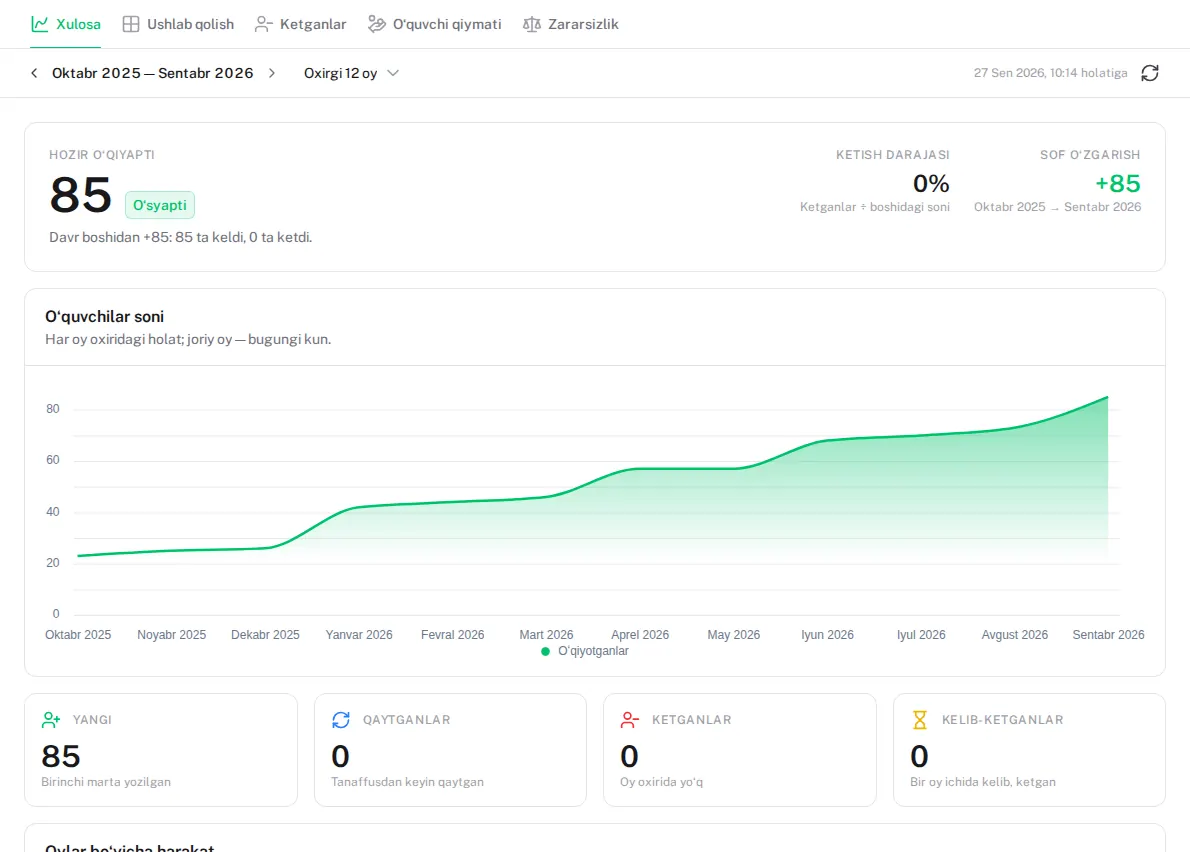
Names and figures are made up.
What to try
- 1
Take a payment
Find a debtor and record their payment — the debt goes down at once and the money reaches the till.
- 2
The till’s shift
Today’s shift is open: sales, expenses and what the drawer should hold, in one place.
- 3
Attendance
Open a group’s register and mark today’s lesson.
- 4
Close a month
Last month is waiting to be closed: check it and close it in one click.
- 5
Pay sheets
Teachers’ shares are worked out from the money collected; last month’s sheets are waiting to be signed.
- 6
Reports
Profit and loss, growth, debts and where enquiries come from — on a year of data.
What is switched off in the demo
- No emails or Telegram messages are sent
- Online payments and fiscal receipts cannot be connected
- Staff, roles and settings are view-only
- Excel export and backups are closed
- Deleting only moves to the trash
Questions
Will others see what I enter?
There is one demo for everyone: until morning, other visitors may see what you entered. Do not enter personal data — everything is cleared every night.
Can I move data from the demo to my own centre?
No, the demo is for looking around. In your own centre you upload your student list from Excel.
Why is everything different the next day?
The demo is rebuilt every night at 03:00 and its dates move to today — it always looks like today.
Open your own centre
Everything you saw in the demo works in your centre too — in two minutes, for free.