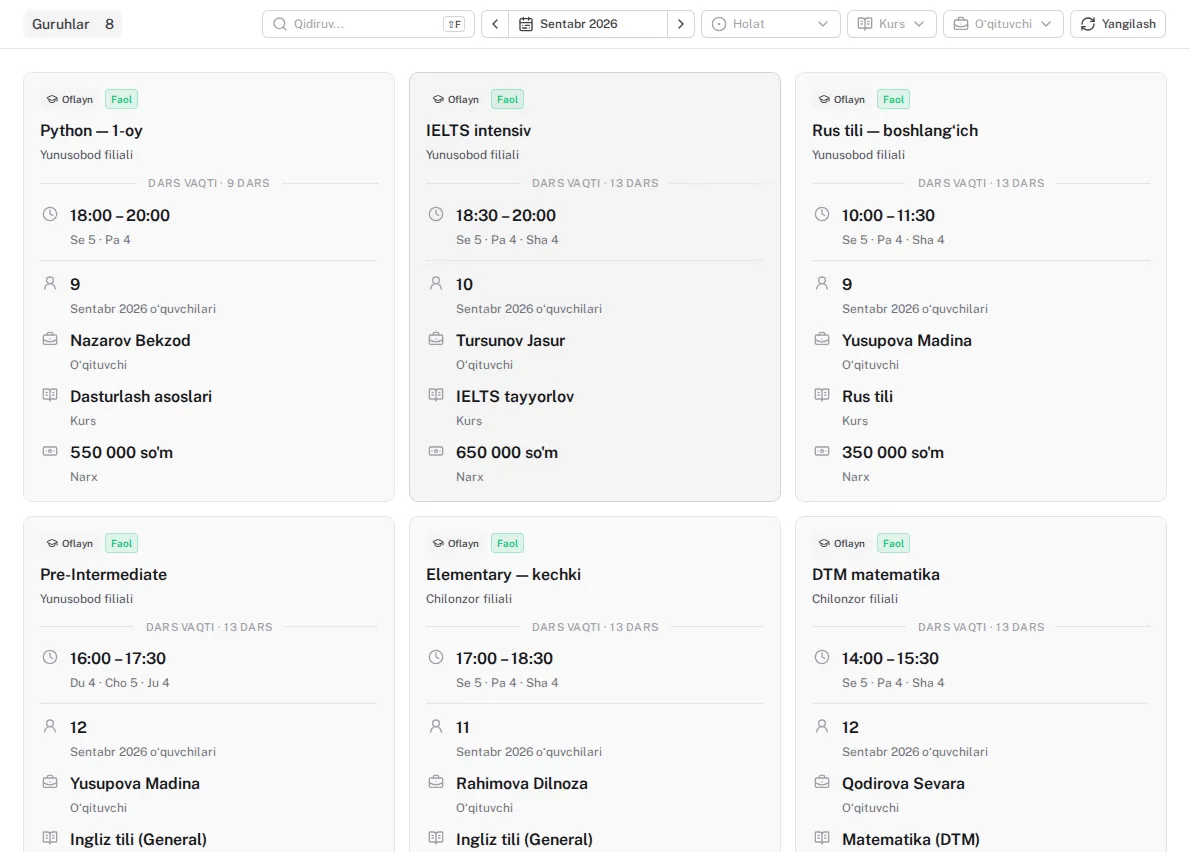
Students and groups
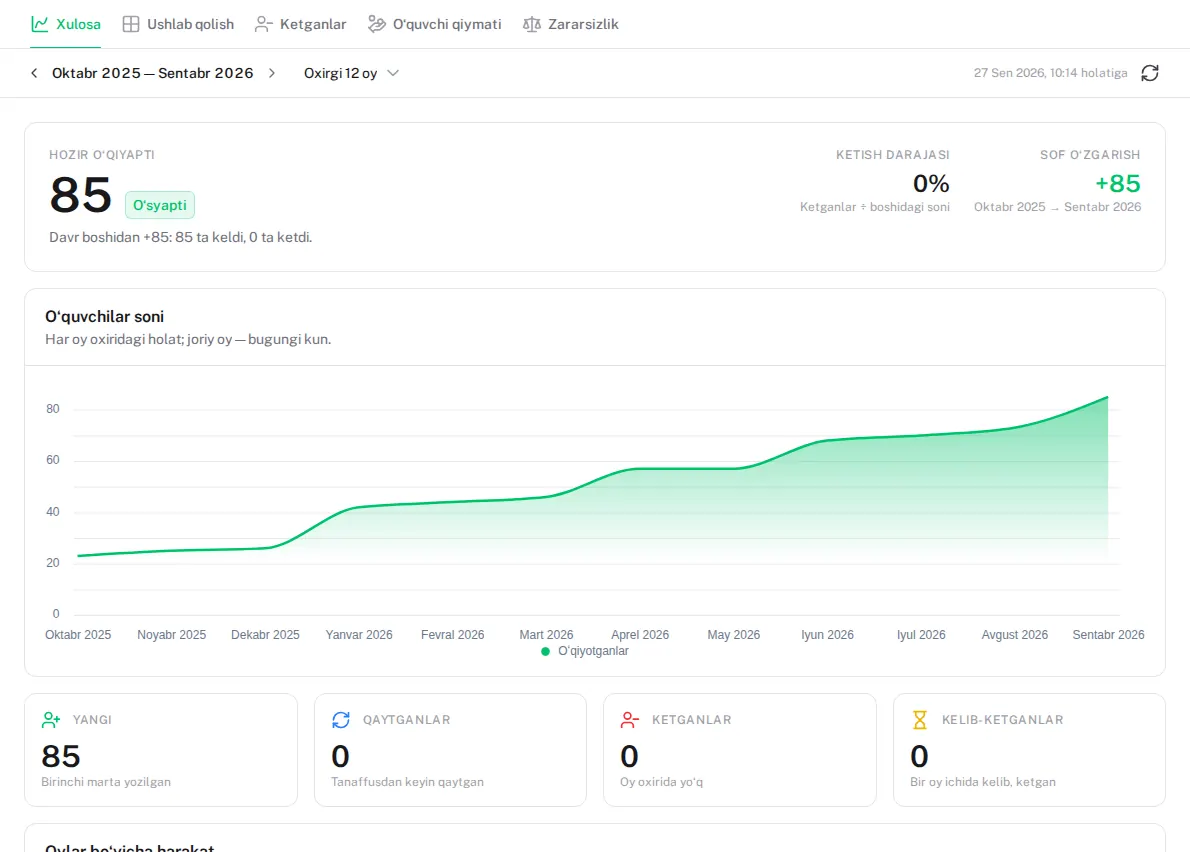
From enquiry to group: admissions, trial lesson, timetable and attendance in one place.
- Teachers take the register on their phones
- A group board: who is where and how many seats are free
- Import the list from Excel once
For learning centres
Monthly fees calculate themselves, every debtor is in plain sight, and teacher pay is one click away.
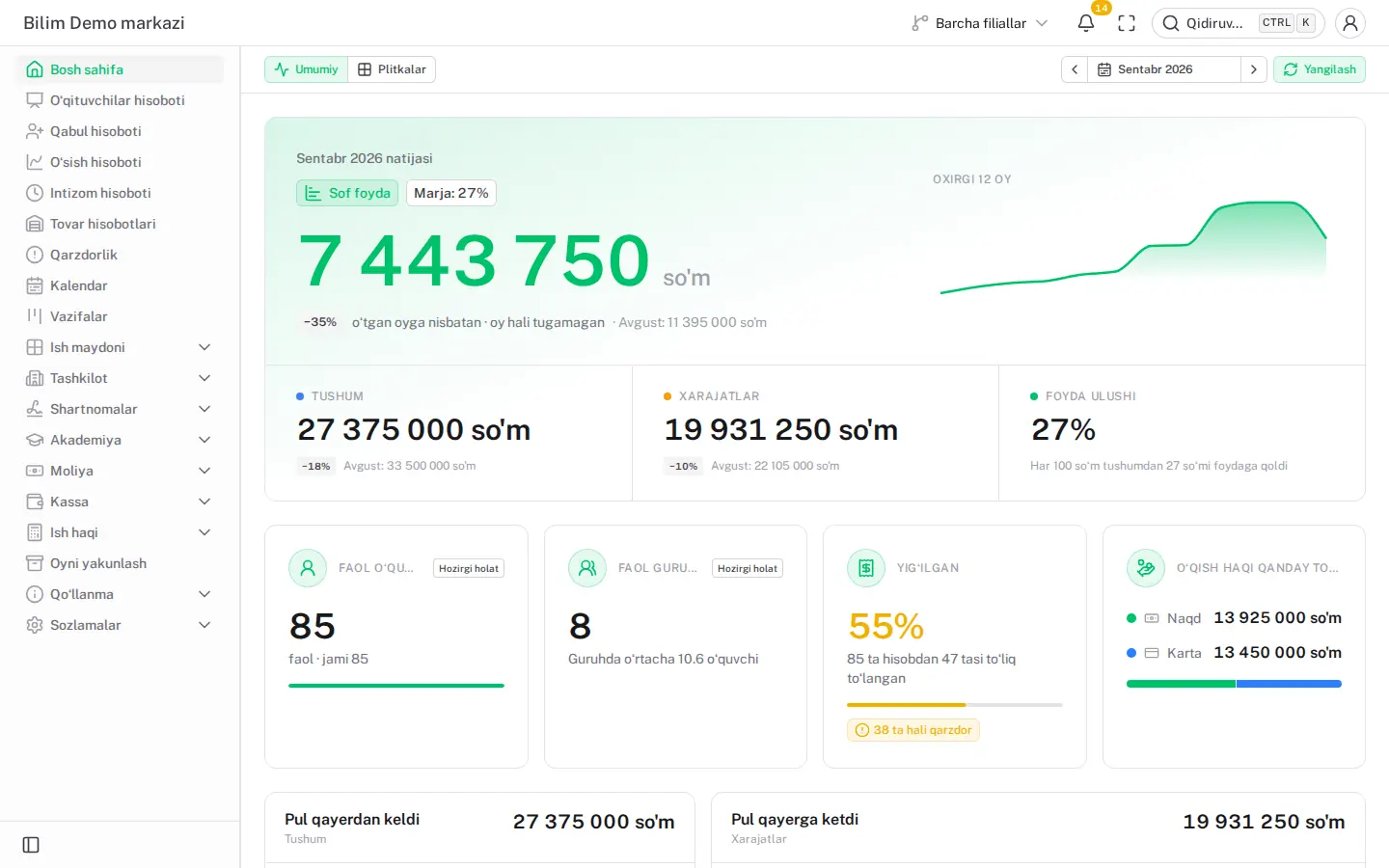
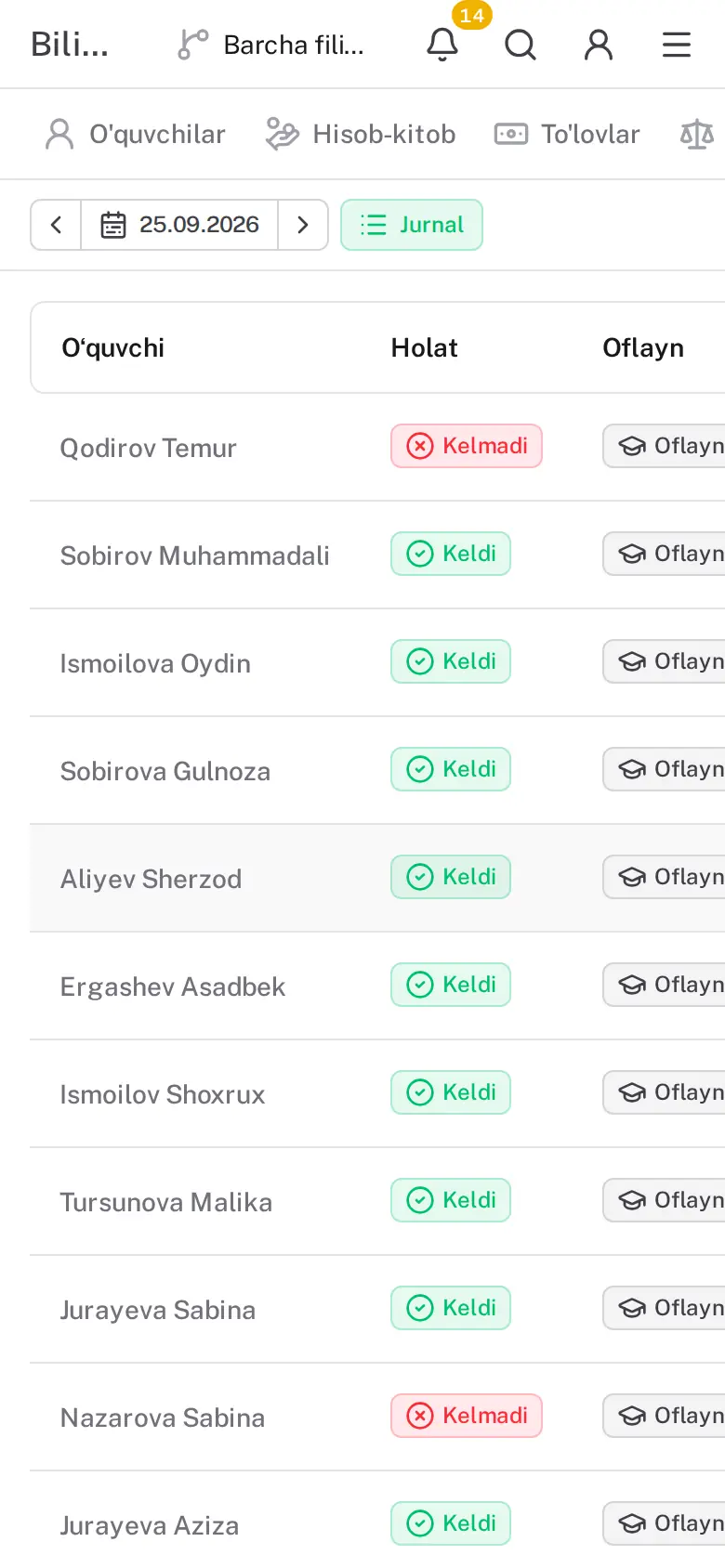
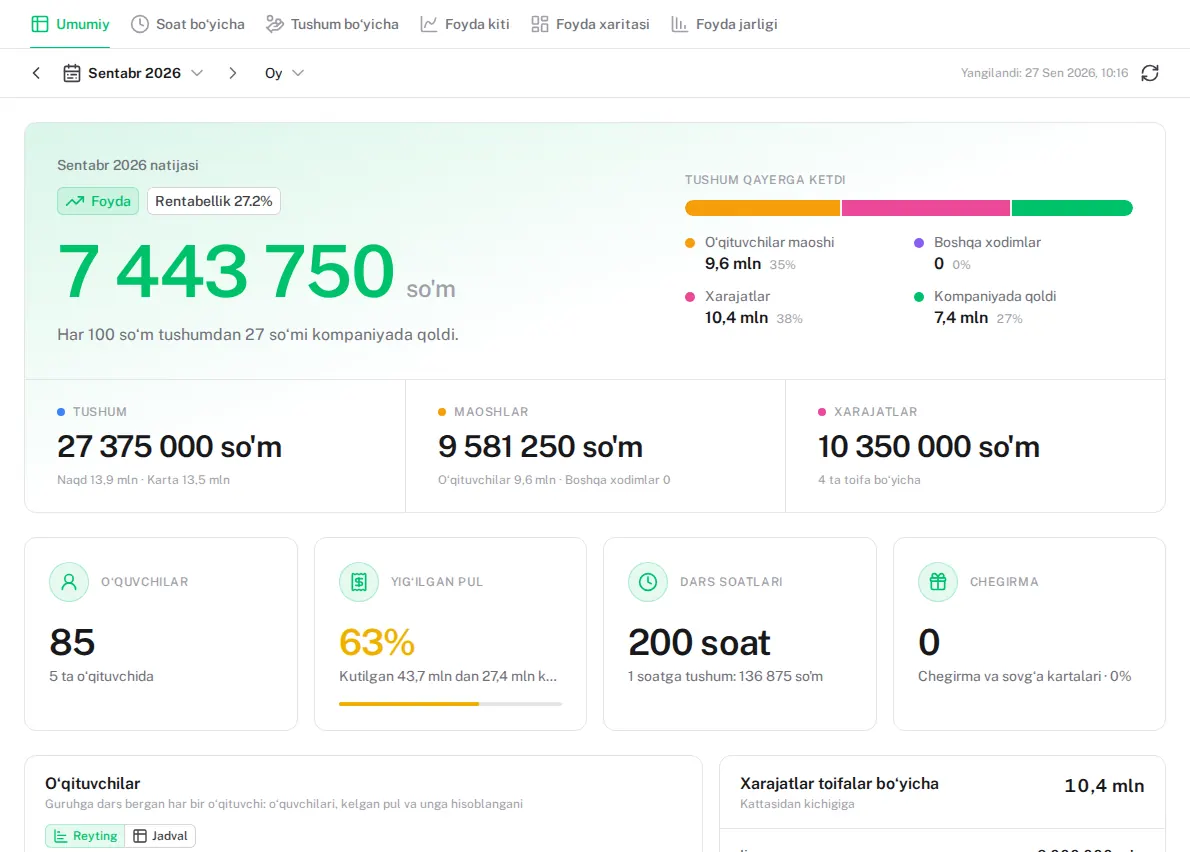
The real panel with a demo centre’s data: the September result and the register on a teacher’s phone.
Before and after
Every centre knows these four problems. The system solves them every day, on its own.
Before: Who hasn’t paid is hunted down in a notebook at the end of the month
With the system: The list of debtors builds itself: who, how much and for how many days
Before: Teacher pay is an argument every month
With the system: Pay works itself out — a share of the money collected or a fixed salary — and every teacher sees their own pay sheet
Before: The cash desk comes up short in the evening and nobody knows why
With the system: Every shift opens and closes with a banknote count. A difference is recorded and shown to the director
Before: Parents find out about a missed class a month later
With the system: The attendance mark reaches the parent’s Telegram the moment it is made Premium
Features
Everything in one database, and all of it connected. Premium marks the sections Premium opens.
From enquiry to group: admissions, trial lesson, timetable and attendance in one place.
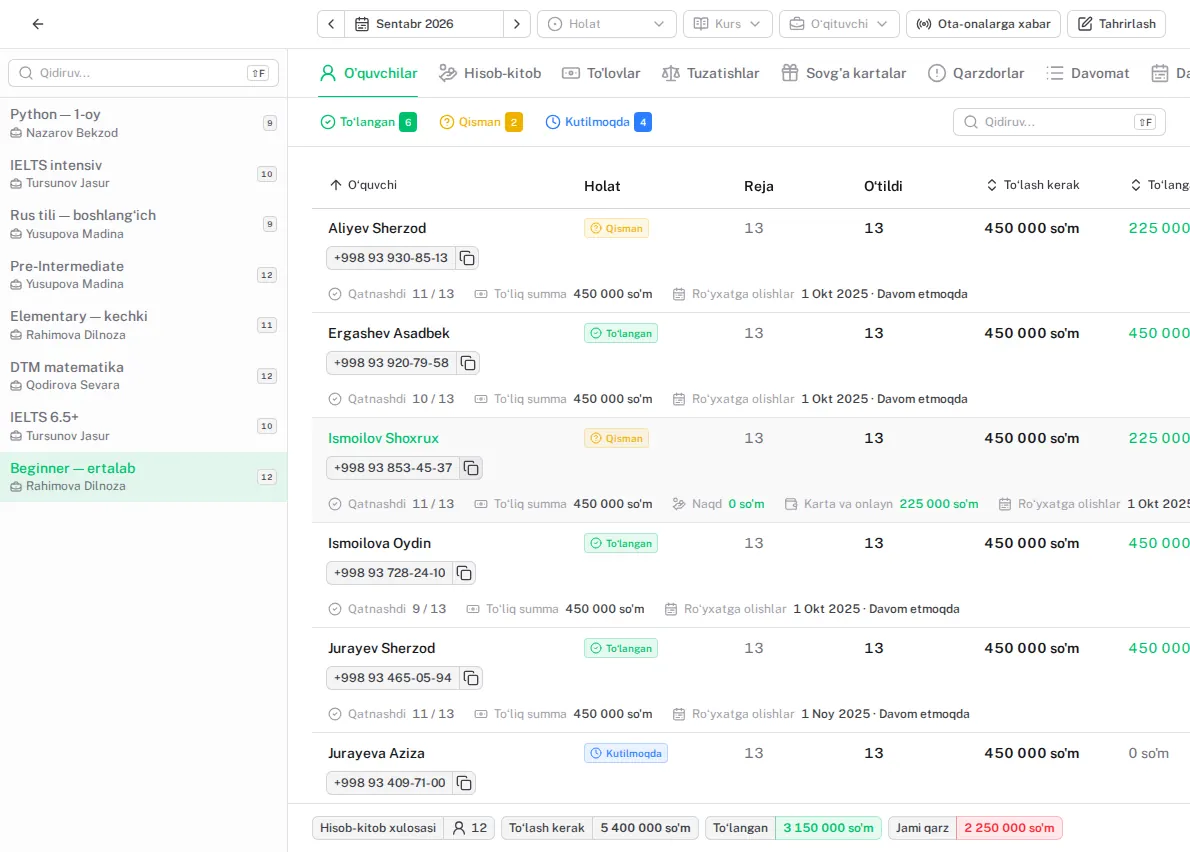
The monthly bill follows from the course price and the lesson days.
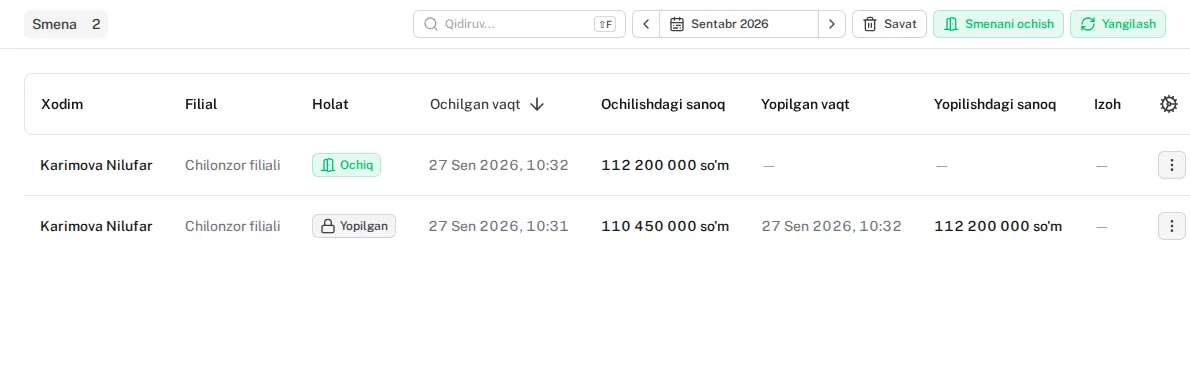
Every shift opens and closes with a banknote count.
A share of the money collected, a fixed salary or hourly pay.
Profit and loss, month closing and growth on one screen.
Write the template once — it fills itself in for every student.
Branches, roles and permissions. Every change goes into the log.
Sell books and uniforms at the cash desk itself.
Bilim Demo markazi
The teacher took the register
Child: Nazarova Sabina
Group: Beginner — ertalab · 25 September, 09:00
Mark: ✅ Present
The centre’s own Telegram bot tells parents about attendance and debts.
Bilim Demo markazi
✅ Payment received: 450 000 UZS (Payme)
Child: Nazarova Sabina
Applied to: September
Parents pay with Payme, Click or Uzum, and the receipt issues itself.
How it works
Who does what — and what the system does by itself. ★ — with Premium.
A new enquiry is recorded and booked for a trial lesson.
The register is taken on a phone.
The parent gets “✅ Present” in Telegram.
A payment is taken and the debt drops at once.
The parent pays with Payme; the receipt issues itself.
The shift closes: banknotes counted, Z-report printed.
Every student’s monthly bill is written automatically.
Pay is calculated, profit reviewed, the month closed.
An example month, in UZS. At the end of each month the system builds this table itself.
Demo
demo.lecxe.uz is a working centre: 85 students, 8 groups, two branches and a year of payments. One click, no password. Change anything you like — it resets every night.
Getting started
Centre name, address, phone and email. Two minutes.
A branch, a course and a group. Import your students from Excel.
Attendance, payments and the cash desk from day one.
Security
Your data never leaves Uzbekistan.
No other centre can reach your data.
Backups are stored encrypted, and you can download one yourself.
Who changed what, and when.
Uzbek, Russian and English. Each person picks their own.
In the browser, nothing to install.
Pricing
0 UZSno time limit
For a small centre or a private tutor. Every core section is open.
By agreement depends on the centre’s size
For a growing centre: no limits, and messaging with parents.
FAQ
On a server in Tashkent. Every centre has its own database, backed up and encrypted every night.
Students, groups, attendance, monthly bills, payments, the cash desk, payroll, reports and contracts. Limits: 1 branch, 10 active students, 3 staff and 1 course. No time limit.
Nothing is deleted and everything keeps working. When you add a new student, the system mentions the limit and offers Premium. Archive a student who has left and the seat frees up.
Yes. Students, groups and courses import from Excel.
Yes, in the browser. There is no app to install: teachers take the register on their phones.
Press “Request Premium” in the panel or write to us. Your data moves to a new server; your login and password stay the same.
Yes. Every list exports to Excel, and you can download a full backup of your database yourself.
Your centre is ready in two minutes. Questions? Talk to one of our specialists.