Features
Payroll
Pay as a share of fees collected, a salary or hourly; the director approves the sheet.
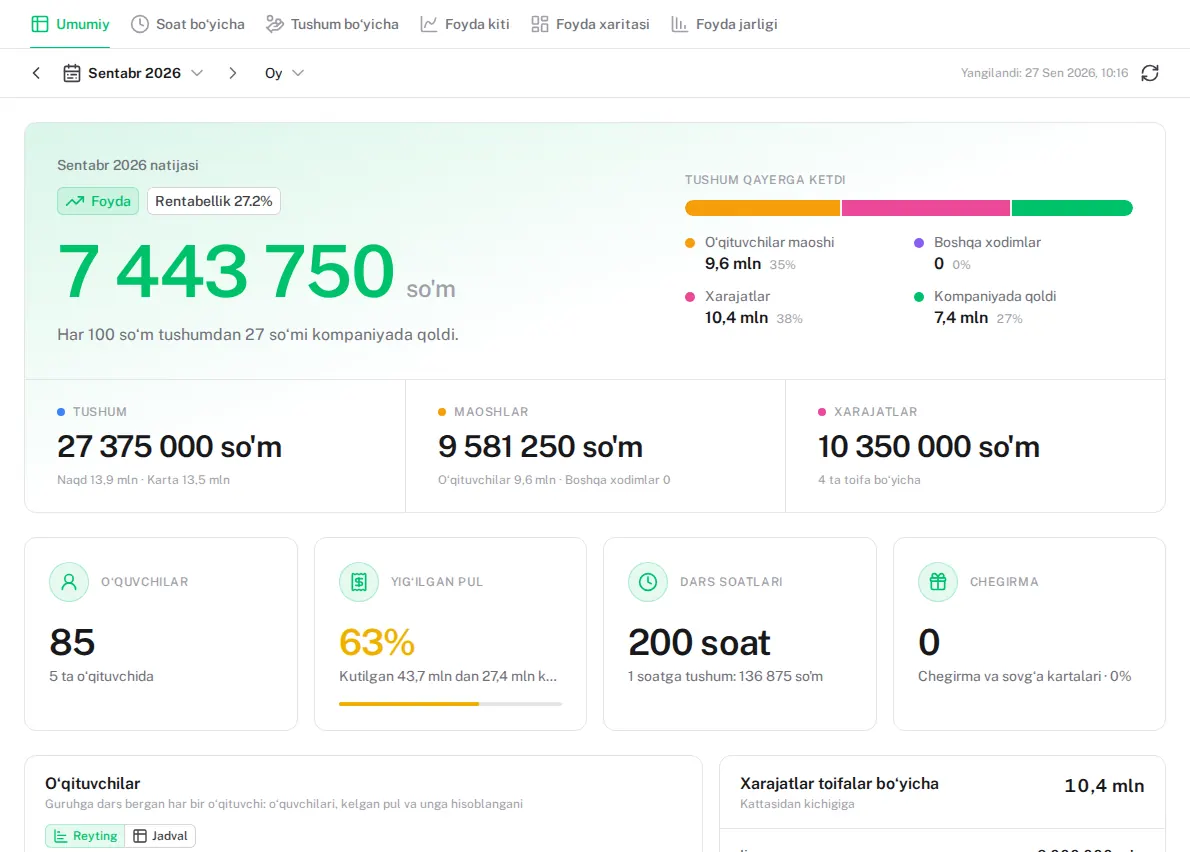
Sound familiar?
- Teacher pay turns into an argument every month
- Nobody is sure who brings in how much
- Pay sheets live in Excel, and mistakes surface at month end
How it works in Lecxe
- 1
Set the terms
Each person has their own terms: a share of fees collected, a salary, or hourly.
- 2
The system calculates
A teacher’s share is worked out with every payment; a salary is divided by the days worked.
- 3
Approve the sheet
The director checks and approves the month’s sheet. If a figure changes after approval, the difference shows.
- 4
«My pay»
Every member of staff sees only their own sheet in the panel.
Questions
How is a salary divided?
By the working days on the rota: a day worked is paid, a day missed is not.
Can a teacher see their pay?
Yes, on the «My pay» page — their own only.
When is pay calculated?
Throughout the day, with every payment. By month end the sheet is ready.
Works together with
-
Monthly fees and debts
The monthly bill follows from the course price and the lesson days.
-
Reports
Profit and loss, month closing and growth on one screen.
-
Team and control
Branches, roles and permissions. Every change goes into the log.
Try it yourself
Your centre is ready in two minutes. Free, with no end date and no card.