Features
Students and groups
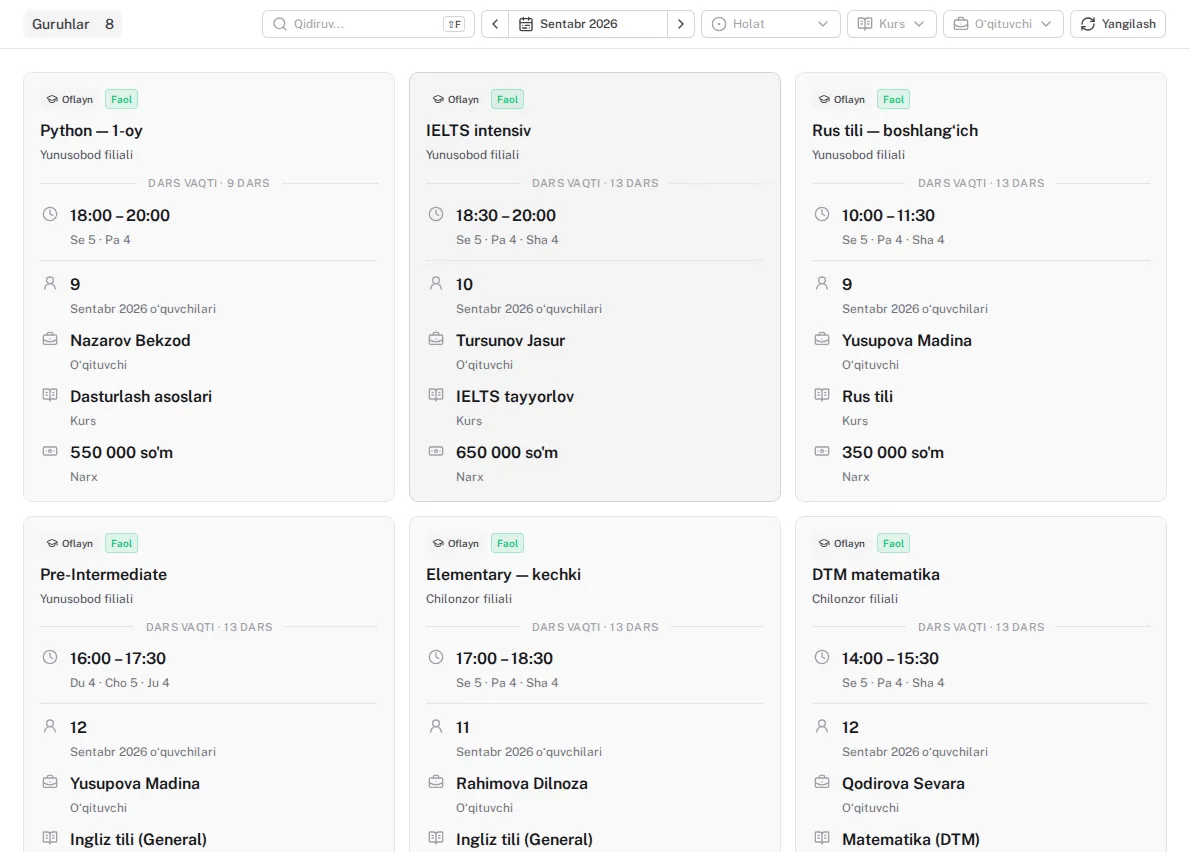
Enquiries, trial lessons, groups and attendance in one place — you see at once who is in which group and where there are seats.
Sound familiar?
- Enquiries get lost in a notebook or in Telegram, and nobody calls back
- Finding a free seat means phoning every teacher
- Attendance is on paper and gets collected at the end of the month
How it works in Lecxe
- 1
Record the enquiry
Name, phone, which course and where they heard of you. Book a trial lesson — its outcome is recorded too.
- 2
Place them in a group
See how many people are waiting for each course and which group has seats. An accepted student joins a group in one click.
- 3
Attendance from a phone
The teacher marks the group register on one phone screen — no paper, no copying out.
- 4
Your list from Excel
Import your current student list from Excel once — no retyping.
Questions
What if a student changes group?
You transfer them: their debt or credit and their payment history move to the new group.
And a student coming back from a break?
They return to the same group — their history stays where it was.
How many students can I add?
Ten active students on the free plan, no limit on premium. Archive a student who left and the seat is free again.
Works together with
-
Monthly fees and debts
The monthly bill follows from the course price and the lesson days.
-
Parent messaging Premium
The centre’s own Telegram bot tells parents about attendance and debts.
-
Contracts
Write the template once — it fills itself in for every student.
Try it yourself
Your centre is ready in two minutes. Free, with no end date and no card.